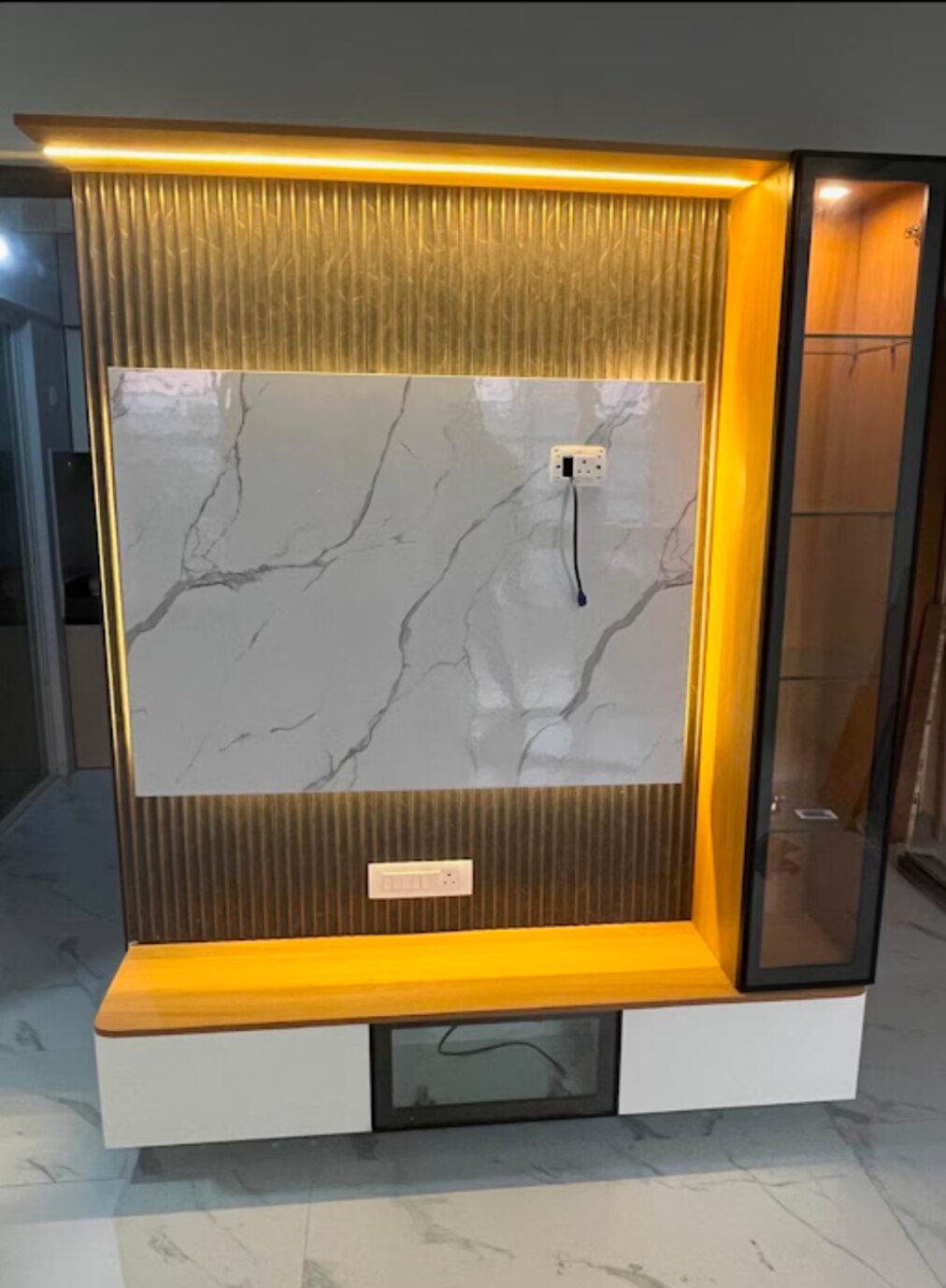
A useful TV unit must fit the actual screen, equipment, cables, viewing position and storage habits—not just look balanced on a showroom wall. By the end, you will know how to brief a manufacturer, compare construction details and avoid a cabinet that becomes difficult to use after installation or a future device upgrade.
Key takeaways
- Measure the TV, stand, wall, sockets and viewing clearance before designing storage.
- Use closed cabinets for clutter, drawers for small items and open shelves for equipment.
- Leave ventilation gaps and removable access panels around every heat-producing device.
- Compare board thickness, hardware, edge finishing, cable routes and installation scope in writing.
How should you measure the television wall before designing storage?
1. Start with the television, not the furniture. Record its actual width, height and depth, including the stand or wall bracket. For a 16:9 screen, visible width is about 0.872 times the diagonal: a 55-inch TV width is approximately 48 inches, a 65-inch TV width about 57 inches, and a 75-inch screen about 65 inches.
Add bezel clearance, cable bends and room for a future replacement.
2. Complete the television wall measurement across the usable area. Measure around windows, doors, switches, power sockets and skirting, then note obstacles that prevent a cabinet from sitting flush. These measurements set practical TV unit dimensions rather than relying on the wall’s overall width.
3. Mark the screen centre near the seated eye level of the main sofa and check the viewing angle from every regular seat. A screen mounted above a tall cabinet or fireplace can force neck extension during long programmes.
Decide whether the television will stand on a tabletop or central stand, or hang from the wall.
4. Measure each console, receiver, set-top box and speaker, then make media compartments deeper than the published equipment depth. HDMI plugs, power bricks and cable bend radius need rear space; exact-fit shelves crush cables or stop doors closing. Reserve extra width and depth for an upgraded screen.
5. Treat a wall-mounted television as a separate fixing problem. The bracket’s rated load must exceed the combined television and bracket weight, and its fixings must match studs or the masonry type. Do not rely on picture-frame drywall anchors for a television or assume the furniture below carries the screen.
How should closed storage, drawers and open shelves be divided?
Assign each storage form to the way you use the item, rather than giving every compartment the same door.
| Storage form | Best contents | Access and trade-off |
|---|---|---|
| Closed TV cabinet | Spare remotes, DVDs, documents, cables and rarely handled accessories | Hinged cupboards or sliding shutters hide clutter and collect less dust |
| Media console drawers | Batteries, controllers, adapters and other small items | Shallow, direct access prevents small objects disappearing in deep cabinets |
| Open TV shelves | Consoles, set-top boxes, streaming devices and speakers | Reach buttons, read indicator lights and use infrared remotes; keep ventilation clear |
Opaque doors block infrared signals unless equipment has an IR repeater, an IR-transparent panel or radio-frequency control. Decide remote access before choosing shutters, or the closed TV cabinet will make everyday operation frustrating.
The hinged shutters versus sliding shutters choice depends on the room. Hinged doors provide full access but need swing space; sliding shutters save front clearance but expose only part of a compartment at once. Lift-up flaps suit equipment operated from a seated position, yet require overhead clearance and reliable stays.
Push-to-open hardware removes visible handles but demands accurate alignment and feels less convenient with dusty or greasy fingers. Preserve negative space: a low console with one tall closed cabinet and one open equipment bay can feel lighter than full-height cabinetry, while asymmetrical open TV shelves can match real storage needs instead of creating unusable symmetry.
How can the unit protect equipment and keep every cable serviceable?
Plan TV unit cable management before fabrication, not after the furniture arrives. Specify rear cable holes, concealed channels, removable back panels and an accessible service void beside or behind the equipment. Keep sockets reachable after installation; hiding every connection makes routine replacement unnecessarily difficult.
Use separate, reachable routes for each cable type:
| Route | Keep separate from | Required access |
|---|---|---|
| Mains power | HDMI and network cables | Accessible sockets and electrician-installed wiring |
| HDMI and network | Mains power | Removable panel or service void |
| Speaker wiring | Mains power | Concealed channel with spare conduit |
Leave spare conduit capacity for a future console, router or television. Do not improvise mains-voltage wiring inside a wall; use an electrician who follows local electrical requirements.
Closed bays for set-top boxes, gaming consoles, AV receivers and amplifiers need media cabinet ventilation sized around each equipment manufacturer’s clearance instructions. A sealed compartment traps heat, causing thermal shutdowns, shortened component life and noisy fans. Open shelves suit heat-producing equipment, while closed storage can hide less sensitive accessories.
Specify these details in the fabrication drawing:
- Removable shelves and backs
- Cable openings large enough for plugs and power bricks
- A service void beside or behind every equipment bay
- Ventilation openings that remain clear after installation
Place the soundbar where forward- or upward-firing drivers are not blocked by a shelf lip or shallow recess. Confirm soundbar clearance, coordinate the television with a centre speaker, and preserve the clearances specified for floor-standing speakers. Removable backs let you replace a failed HDMI cable or power supply without dismantling the whole unit.
Which construction details should you compare before approving the quotation?
Compare the carcass and fixing plan, not just the finish on a sample door. Ask the manufacturer to write board thickness and edge banding, plywood or MDF specification, backing thickness, shelf span, hardware load rating, finish type and warranty terms into the quotation.
| Material | Cleaning and durability checks | Location concern |
|---|---|---|
| Laminate | Wipeable, but inspect scratch resistance and edge sealing | Moisture near a balcony door |
| Veneer | Shows natural grain; ask about coating and repairability | Direct sunlight can alter colour |
| Painted MDF TV unit | Inspect paint adhesion, fingerprints and touch-up method | Heat and sunlight can expose fading |
| Glass or metal | Check fingerprints, impact risk, sharp edges and heat transfer | High-traffic areas and children |
This TV unit material comparison makes laminate versus veneer and a painted MDF TV unit easier to judge than a material name alone. Inspect the actual sample and ask how it will perform beside a window, balcony door or direct sunlight.
- Are shelves adjustable, and is the back removable?
- Do sockets, network points and cable connections remain reachable?
- What are the shelf span and hardware load limits?
- For a floating unit, where do fixings enter, and does the plan account for the wall substrate, projection leverage, carcass, shelves, equipment and stored objects?
- Will tall or deep cabinets be anchored against tip-over, especially where children live?
A custom unit and ready-made console can look identical while differing in carcass construction, rear access and load limits. When comparing Nilkanth Modular Kitchen Interior - 9766310041, use the quotation, samples and installation plan to verify those details rather than trusting showroom appearance.
Related product
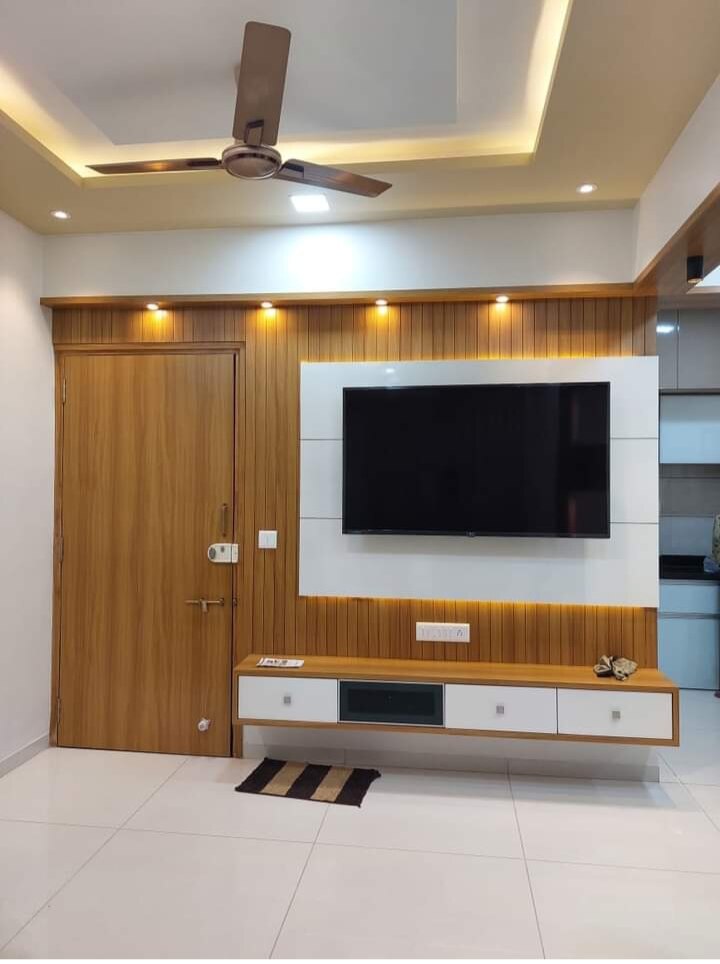 | TV Unit A TV unit is a piece of furniture that can be considered as the king of all other furniture pieces in the house. View product → |
What should the final TV-unit brief include for future use?
Your final TV unit design brief should begin with a device schedule, not a request for a generic entertainment wall. Record each television, console, set-top box, AV receiver, streaming device, speaker, router and game controller with its width, height, depth, weight, plug position and ventilation requirement.
| Device | Required access | Storage provision |
|---|---|---|
| Television, speaker | Clear front and sound path | Open or correctly sized bay |
| Console, set-top box, AV receiver, streaming device | Button, indicator and infrared access | Ventilated adjustable media shelves |
| Router, controller, accessories | Network access or frequent handling | Open side compartment or drawer |
| Remotes, DVDs, documents | Dust protection and occasional access | Closed cupboard or drawer |
Mark the sofa eye position, screen-centre height, wall width, socket locations, internet point and preferred speaker-wire route. State the future television size, add a second HDMI or network route, and specify at least one adjustable or removable shelf so the unit becomes a future-proof entertainment unit rather than a fixed snapshot.
Your TV cabinet installation checklist should confirm:
- Floor-supported or floating construction, wall anchors and the wall substrate they enter.
- Installer access to the rear of every compartment through removable backs, service voids or side openings.
- Edge finishing, door alignment, drawer travel, cable openings, ventilation gaps and soundbar clearance.
- Remote operation from the sofa and equipment removal without dismantling the cabinet.
This turns storage habits, device dimensions and maintenance access into measurable requirements.
Frequently asked questions
How should you measure the television wall before designing storage?
Record the television’s actual width, height and depth with its stand or wall bracket. Measure the wall, skirting, sockets, switches, windows, doors and viewing clearance. For a 16:9 screen, visible width is about 0.872 times the diagonal.
How should closed storage, drawers and open shelves be divided?
Place infrequently used or visually messy items in closed cabinets, remotes and accessories in drawers, and consoles or speakers on ventilated open shelves. Keep daily-use devices within easy reach.
How can the unit protect equipment and keep every cable serviceable?
Provide ventilation around consoles, set-top boxes and amplifiers, avoid crushing cables, and include grommeted openings, cable channels and removable access panels. Keep power and signal cables separable where possible.
Which construction details should you compare before approving the quotation?
Compare board type and thickness, edge banding, hinges, drawer runners, wall anchoring, finish, cable provisions, hardware brands, installation work and exclusions. Ask for these details in the written quotation.
What should the final TV-unit brief include for future use?
Include the current TV dimensions, possible future screen size, equipment list, socket locations, storage categories, ventilation needs, cable routes, finish, maintenance access and provisions for replacements or upgrades.