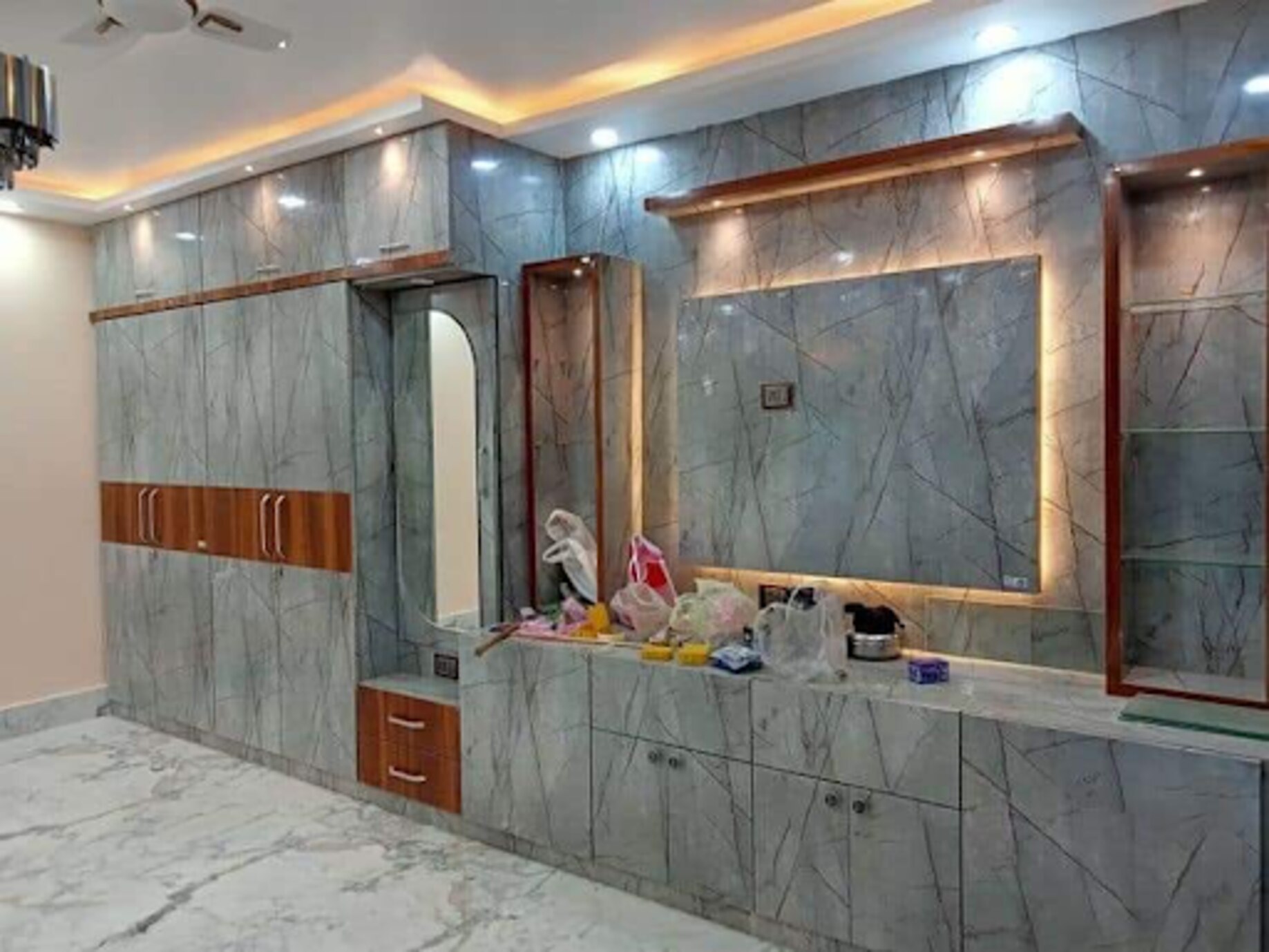
A TV wall becomes difficult to use when the screen, devices, cables, décor and household items compete for the same space. By measuring the room first and assigning each function a defined zone, you can create a unit that remains serviceable, visually calm and adaptable when your equipment changes.
Key takeaways
- Set screen height from seated eye level, not the wall’s midpoint.
- Separate entertainment, display and storage zones before choosing cabinet sizes.
- Leave airflow around devices and provide accessible cable routes.
- Use closed storage for clutter and open shelves for items worth displaying.
Start with the Wall, Screen and Viewing Position
Measure from the sofa outward, not from the wall inward. Mark the seated eye level on the wall, then position the screen so its centre sits near that line; sofa height, screen size and reclining angle can change the final height.
A screen mounted too high, especially above a fireplace or tall storage, often causes neck strain and catches more glare.
Record these custom TV unit measurements before choosing cabinets or shelves:
- Measure TV width, height and depth, including its stand if you will not wall-mount it.
- Note the actual VESA pattern, such as 200 × 200 mm or 400 × 400 mm, and the bracket model.
- Measure TV wall width, ceiling height and the clear distance from windows, doors and adjacent furniture.
- Check viewing distance from the main seated position to the screen, then test the angle from side seats.
- Mark power, aerial, network and speaker sockets, and plan removable cable access behind the TV and equipment.
| Position choice | Main advantage | Check before committing |
|---|---|---|
| Low console with TV above | Easy access and relaxed eye line | Keep the screen clear of glare and the console deep enough for equipment |
| Wall-mounted screen | Clean floor and flexible furniture layout | Fix the bracket into suitable masonry, studs or reinforced panel |
| High media wall or over-fireplace position | Uses vertical space | Reject it if seated eye level forces an upward gaze or heat threatens the television |
A bracket’s load rating covers neither a weak wall nor a long floating cabinet carrying books, ceramics and equipment. Check the wall type, fixing method, cabinet material and span together. Viewing distance, not TV wall width alone, determines whether the final arrangement feels comfortable.
Assign Three Zones Without Crowding the Wall
Give each function a defined footprint instead of spreading shelves across the entire wall. The screen should remain the visual anchor, with storage and display supporting it rather than competing for attention.
- Entertainment zone: Centre the television and keep the console, set-top box and soundbar close to it. Leave a clean band around the screen so the viewing area does not look boxed in.
- Display zone: Use open display niches for a small selection of books, artwork or décor. Varying niche widths creates interest without turning every shelf into a storage surface.
- Storage zone: Place closed storage below the screen or at the outer sides for routers, remotes, toys, paperwork and other visually noisy items. Doors give these objects a consistent visual finish.
Balance comes from repeating proportions, not making every section identical. A broad central screen can sit between narrower vertical cabinets, while a low console can balance taller shelving on one side; match the visual weight on the opposite side with fewer but larger elements.
Keep the busiest functions away from the screen’s immediate edges. A matte or low-sheen panel behind the television reduces reflections from windows and downlights, while concealed or dimmable lighting keeps the display zone from producing glare. Stop filling shelves when the wall feels active but not crowded; empty space is part of the composition.
Choose the Right Cabinet Form for the Wall
Choose the cabinet form according to the wall’s strength, your storage needs and how much visual weight the room can carry. A lightweight screen needs less structure than a long cabinet loaded with books, ceramics and equipment.
| Option | What it means | When it applies |
|---|---|---|
| Floor-standing console | Cabinet supported by legs or a plinth | Choose it for hollow, uneven or weak walls, heavy equipment, or generous closed storage |
| Wall-mounted TV unit | Cabinet fixed above the floor beneath or around the screen | Choose it for easier floor cleaning and a lighter appearance when the wall and fixings can carry the load |
| Full-height media wall | Joinery extending from floor to ceiling, often combining cabinets, niches and panels | Choose it when you need maximum storage, want to conceal an uneven wall, or need a strong architectural feature |
| Floating shelves | Individual shelves fixed directly to the wall | Choose them for limited display, books or décor when closed storage is unnecessary and the wall accepts suitable fixings |
| Hybrid design | A floor-standing base combined with wall-mounted cabinets or shelves | Choose it when you need stable heavy storage below and open display above |
A floating design transfers the television, cabinet and stored objects into the wall. Check the wall type, cabinet span, fixing method and shelf supports together; a bracket’s load rating alone proves nothing.
Use closed cupboards for routers, remotes, toys and paperwork, and reserve floating shelves for a few deliberate objects. A hybrid usually gives the safest balance when the wall cannot support the entire composition.
Build in Ventilation, Cable Access and Sound
Design the equipment bay around the largest device you may own, not the smallest streaming box. Set-top boxes, AV receivers and gaming consoles need air around their vents, clearance above and beside the unit, and an accessible power socket. Follow each manufacturer’s clearance instructions; there is no universal safe gap.
A tight compartment with one narrow front slot traps heat.
Specify these details before closing the back panel:
- Set-top box ventilation: use a ventilated shelf or a front-and-rear opening, with enough depth for connectors and hand access.
- Gaming console clearance: leave space around intake and exhaust vents, plus room to slide the console out without removing the shelf.
- Router storage: avoid a sealed cabinet or metal-lined niche; provide airflow and keep the router’s indicator lights and reset button reachable.
- Soundbar placement: keep the speaker directly below the screen with its front grille unobstructed. Do not place décor in front of it or hide it behind a solid cabinet door.
Plan a continuous cable route before fitting the back panel. A duct or removable access panel should connect the television to the equipment bay, with slack for HDMI, power, aerial, network and speaker cables. Add a second removable panel at the socket end so replacing one device does not require dismantling the unit.
Do not seal the television into a decorative niche unless its manufacturer allows it. Leave hand clearance to reach connectors, remove the bracket and lift out the screen; modular shelves and cable panels make later changes simpler.
Make Storage and Display Work for Real Household Use
Put visually noisy items behind doors; reserve open shelves for objects you intentionally want to see. Use closed storage for:
- Routers, set-top boxes and charging clutter
- Remote and controller storage
- Toys, paperwork and spare cables
Open shelves suit a small edited collection of books and collectibles, not every souvenir in the room. Leave empty space around displayed objects so the wall can breathe. A crowded shelf competes with the screen and makes dust easier to notice.
Do not assume a cabinet door will pass IR remote signals. If equipment sits behind a door, specify an open front, an IR-transparent panel, an IR repeater or network-based control after checking compatibility; painted, veneered and ordinary glass fronts can block commands.
Professional customization earns its cost when the wall has awkward corners, uneven widths, low sockets, window clearances or equipment that needs unusual ventilation. Ask the designer to show where each device, cable and future replacement will go.
Modular TV furniture lets you replace a damaged front, shelf or cable panel independently, but visible joints and fixed module widths create a trade-off between symmetry, maximum storage and easy rearrangement.
Nilkanth Modular Kitchen Interior - 9766310041 can help assess those site constraints before fabrication, which is more useful than choosing a cabinet style from a catalogue.
Related product
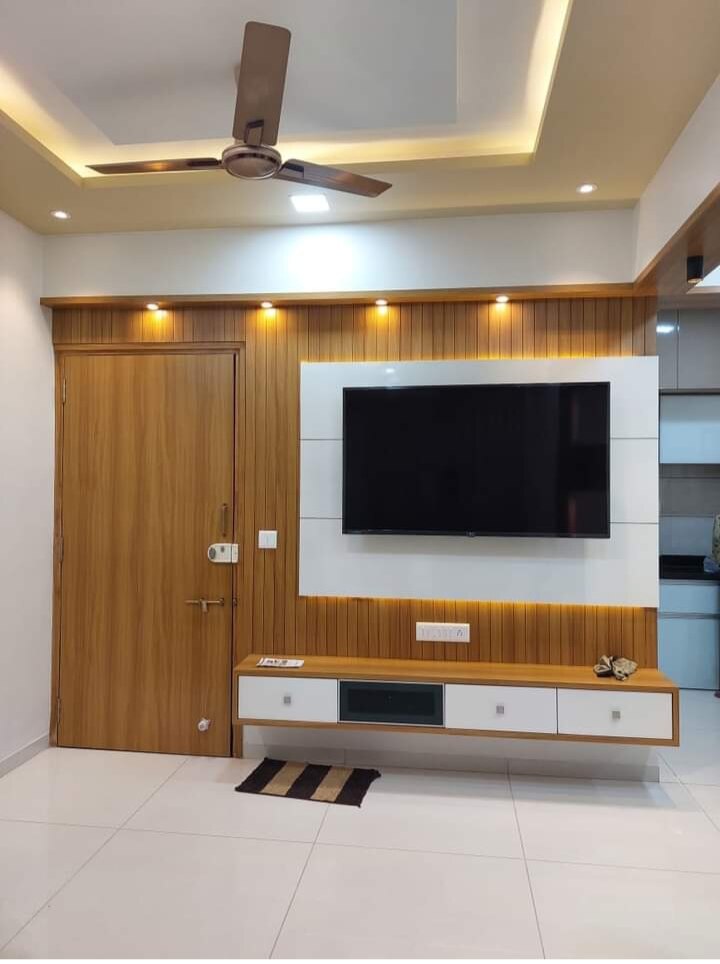 | TV Unit A TV unit is a piece of furniture that can be considered as the king of all other furniture pieces in the house. View product → |
Frequently asked questions
How do you choose the correct TV height?
Measure from the sofa, mark seated eye level, and position the screen centre near that line. Account for sofa height, screen size and reclining angle.
How should a custom TV unit divide the wall?
Assign separate entertainment, display and storage zones, then size each zone to avoid crowding the screen and leaving enough usable clearance.
Which TV cabinet form suits a wall?
Choose between a wall-mounted unit, floor-standing cabinet or a combination after checking wall width, floor space, viewing position and storage needs.
What ventilation and cable features should a TV unit include?
Provide airflow around amplifiers, consoles and set-top boxes, plus cable routes, access panels and openings that let you reach connections without dismantling the unit.